You can deposit digital assets from an exchange or another wallet into your Hotcoin Web3 Wallet for on-chain asset management and other Web3 activities. Choose one of the following methods to complete your deposit.
Deposit Using a Wallet Address
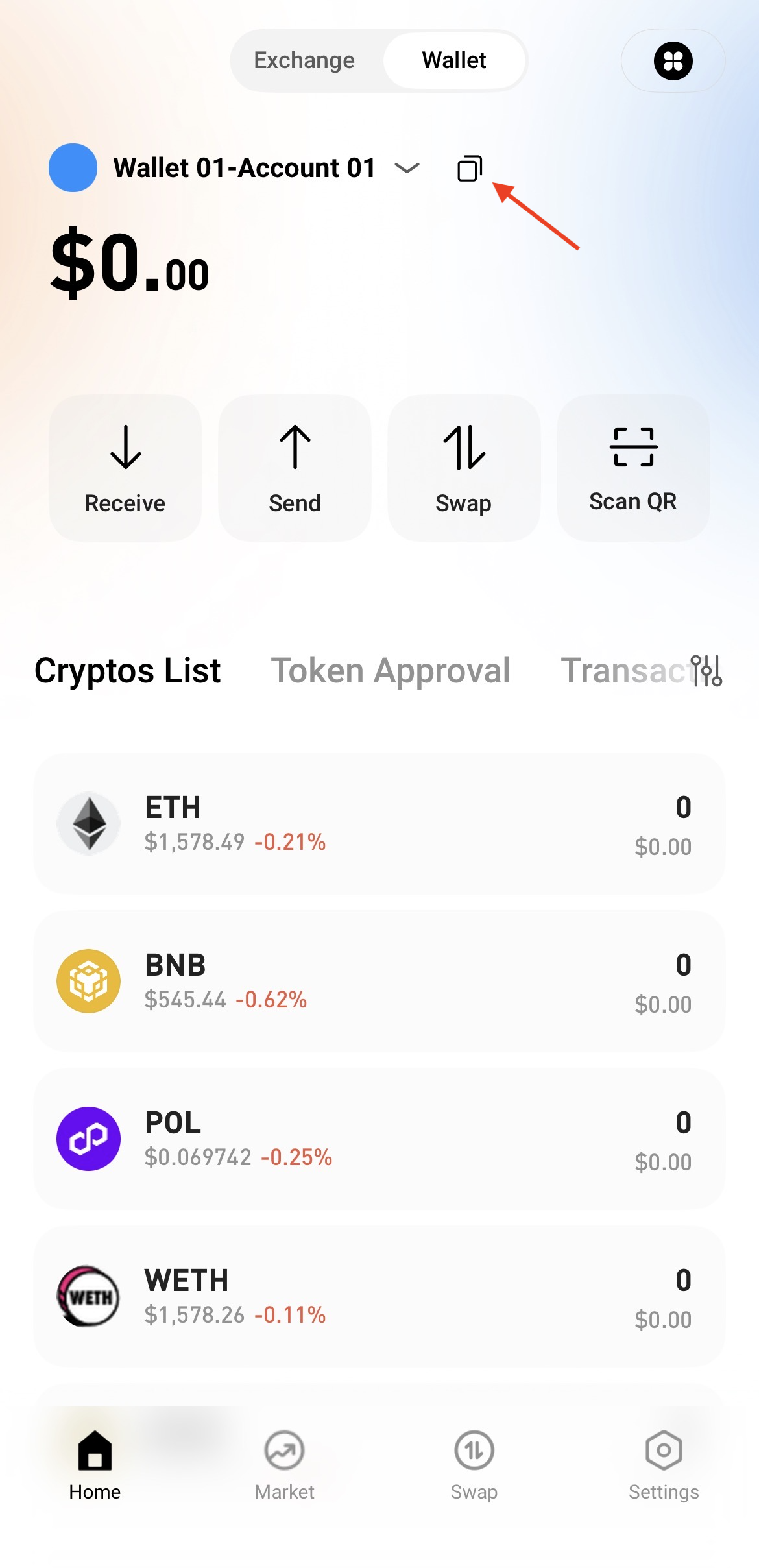
1. On the Web3 Wallet homepage, tap Copy Address.
2. From the pop-up network list, select the network for the token you want to deposit.
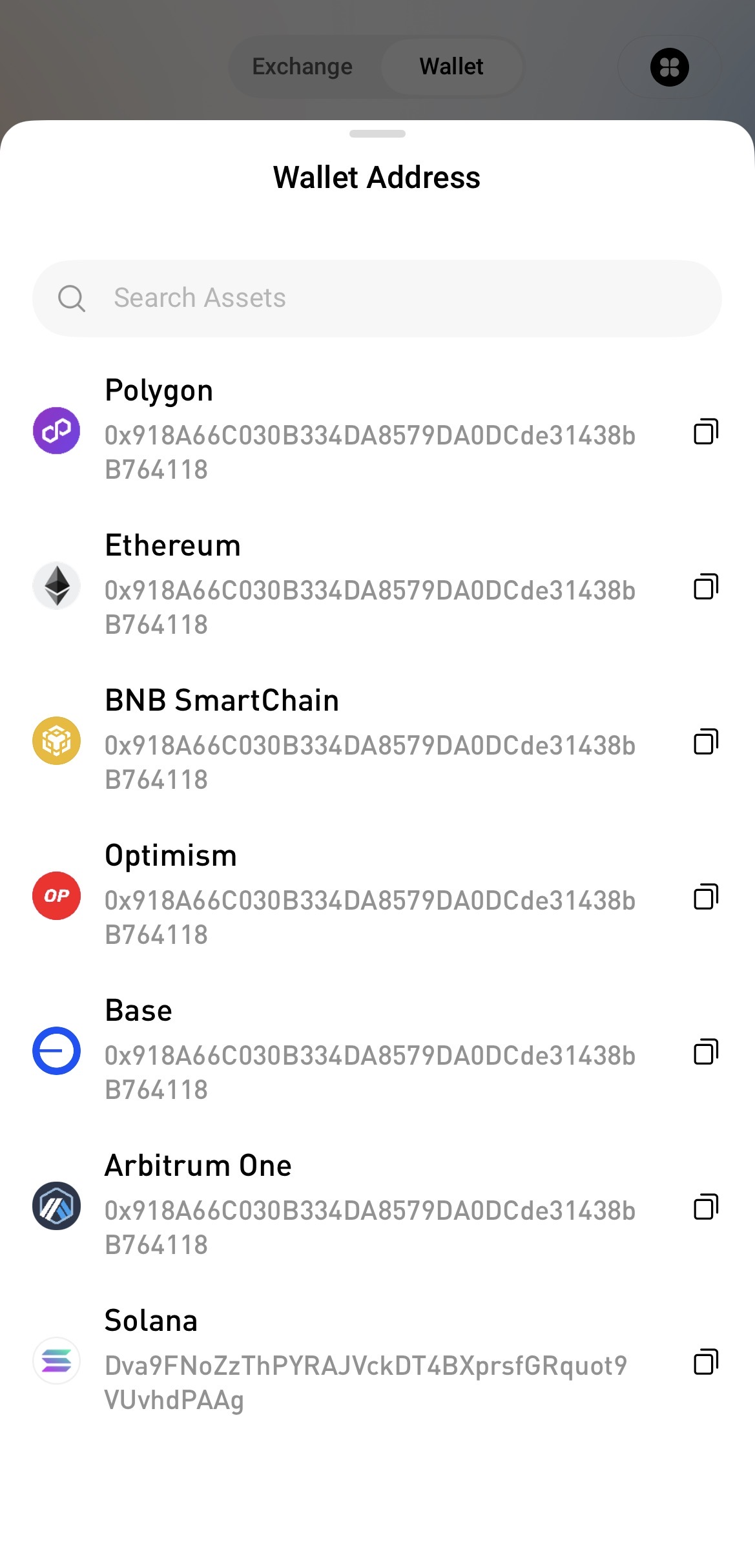
3. Copy your wallet address, paste it into the withdrawal address field on the sending platform, verify that the selected network is correct, and initiate the transfer.
Deposit Using a QR Code
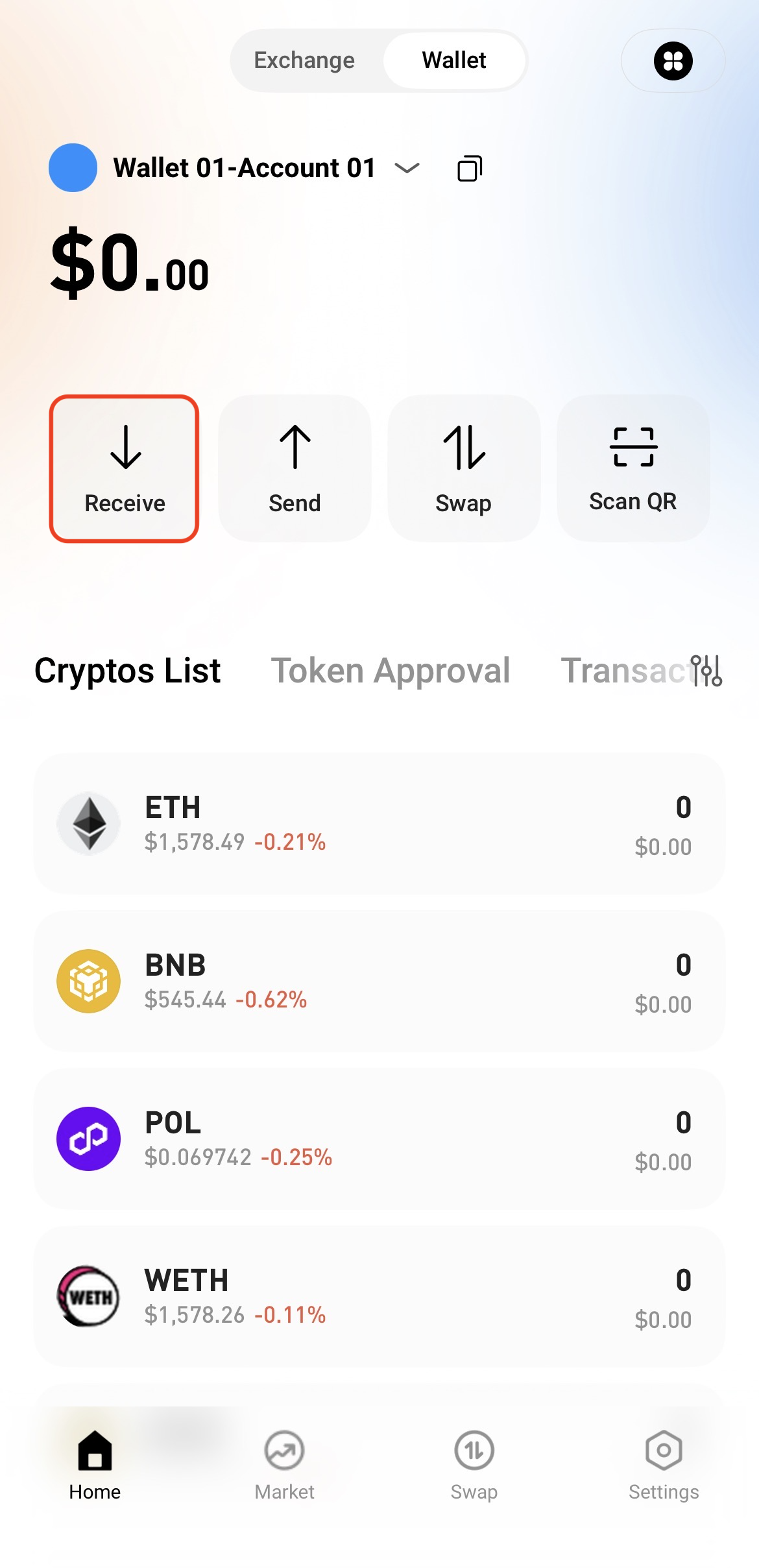
1. On the Web3 Wallet homepage, tap Receive.
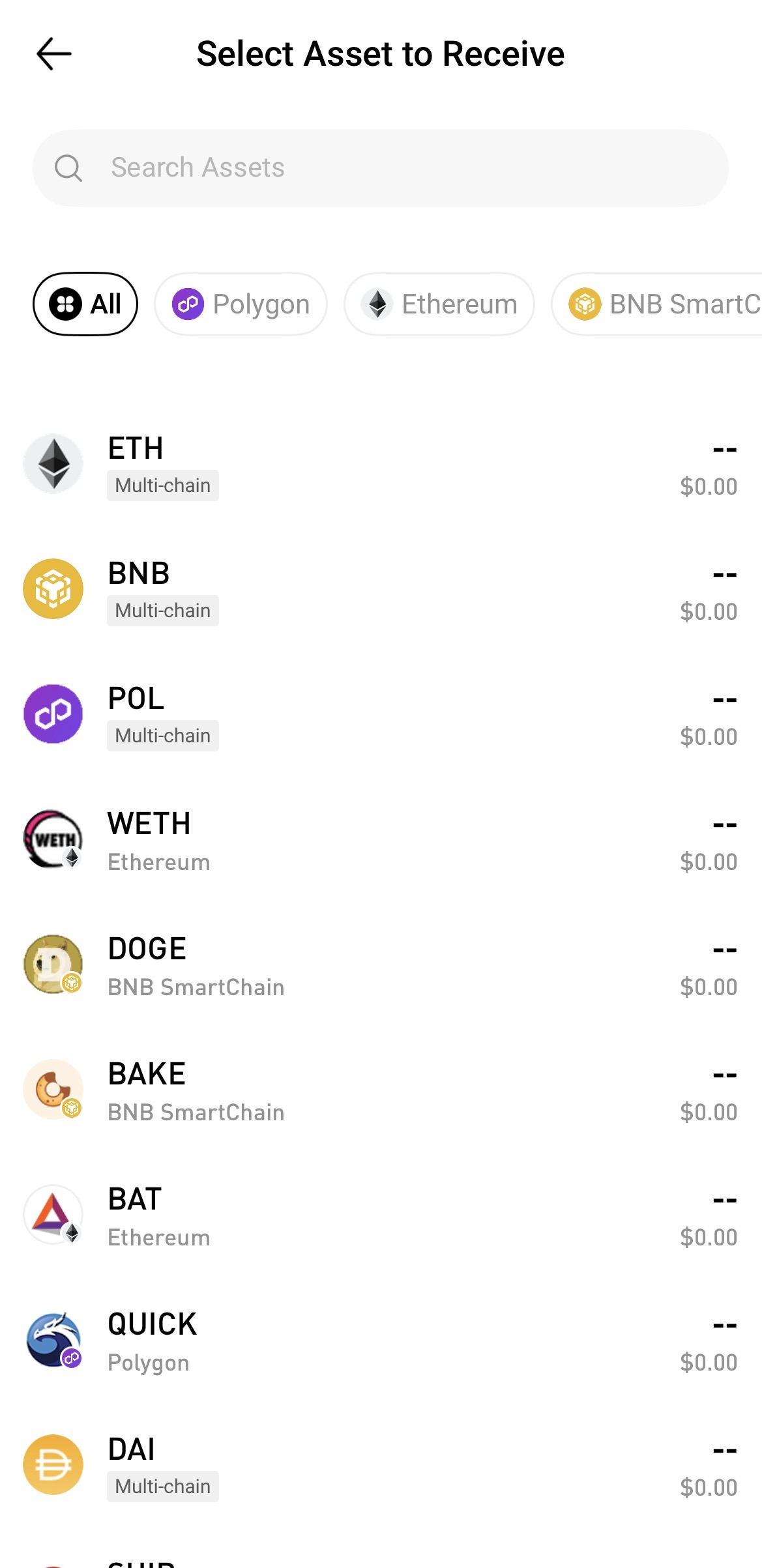
2. Search for and select the token and network you want to deposit.
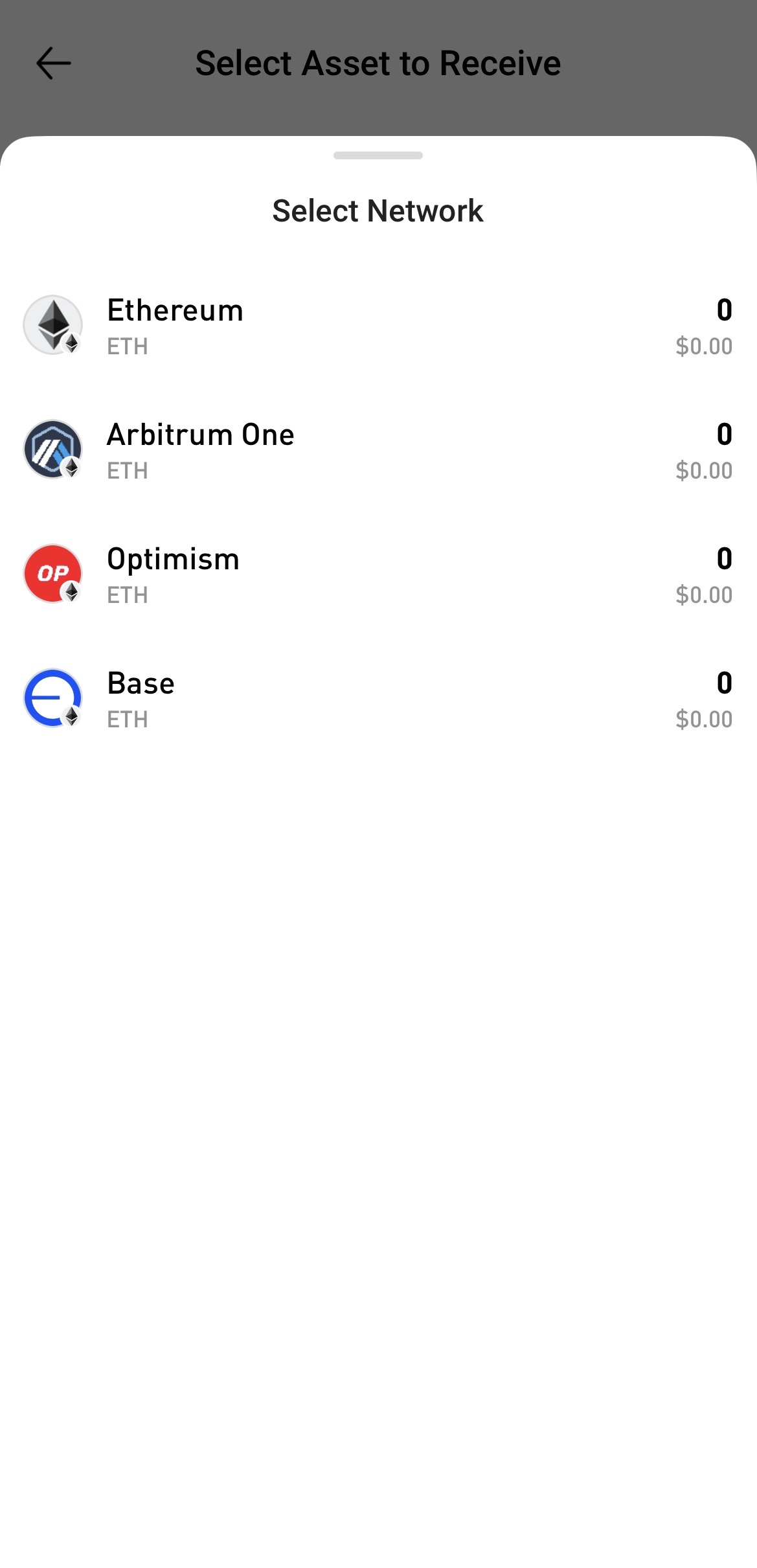
3. View the receiving address and QR code.
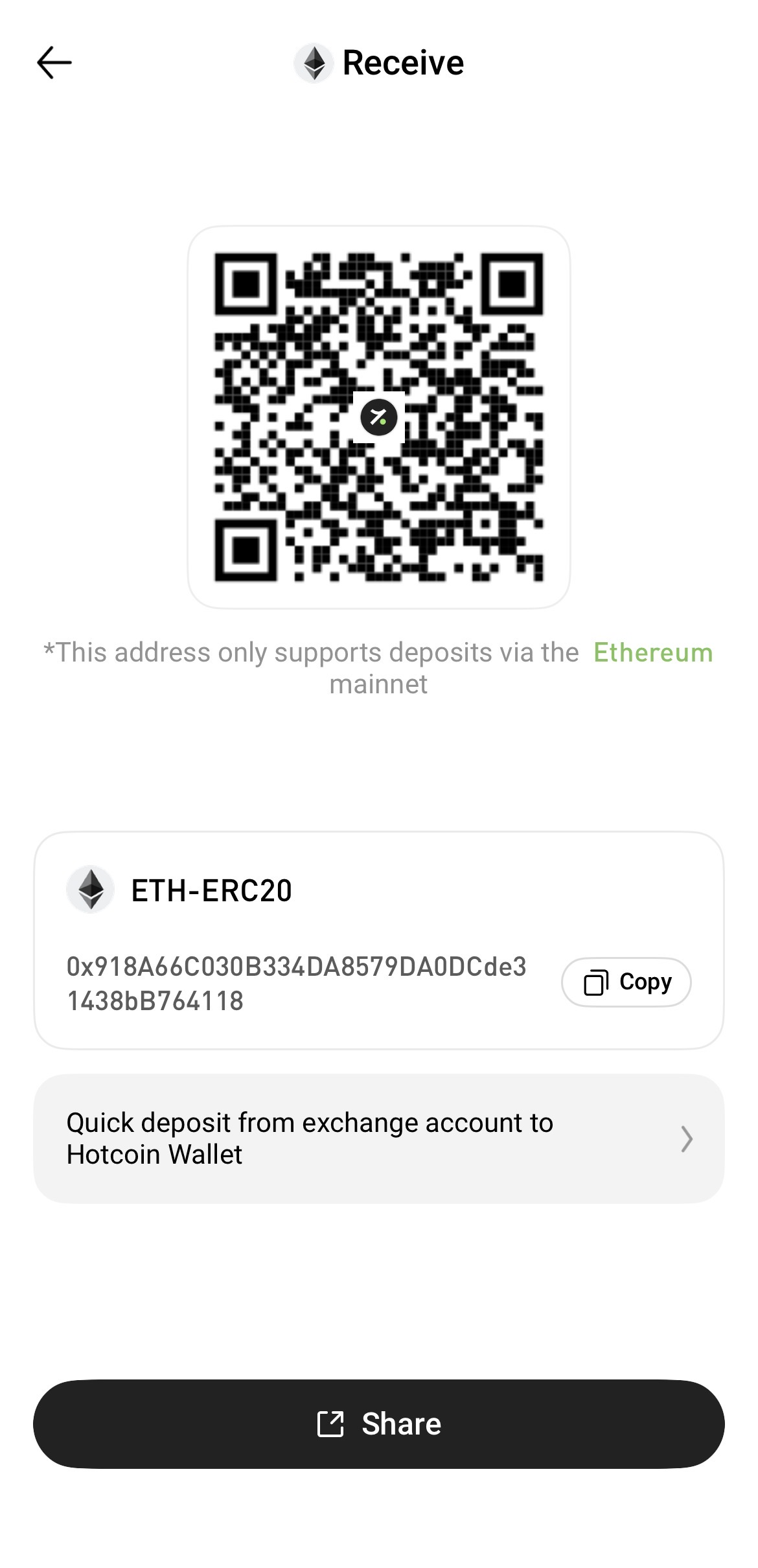
4. On the sending platform, paste the receiving address into the withdrawal address field or scan the QR code displayed on the page. Verify that the selected network is correct, then initiate the transfer.
Notes
- Make sure the token and network selected on the sending platform match those of your Hotcoin Web3 Wallet. Otherwise, your assets may be permanently lost.
- Deposit times may vary depending on the blockchain network. Please wait for the required network confirmations.
- If your deposit has not been credited for an extended period, first verify the on-chain transaction status and confirm that the selected network is correct. If the deposit is still not credited, please contact Hotcoin Customer Support for assistance.